> For the complete documentation index, see [llms.txt](https://maintainit.imaginitfm.com/llms.txt). Markdown versions of documentation pages are available by appending `.md` to page URLs; this page is available as [Markdown](https://maintainit.imaginitfm.com/system-administration/settings.md).
# MaintainIt Settings
Update global settings for the MaintainIt app
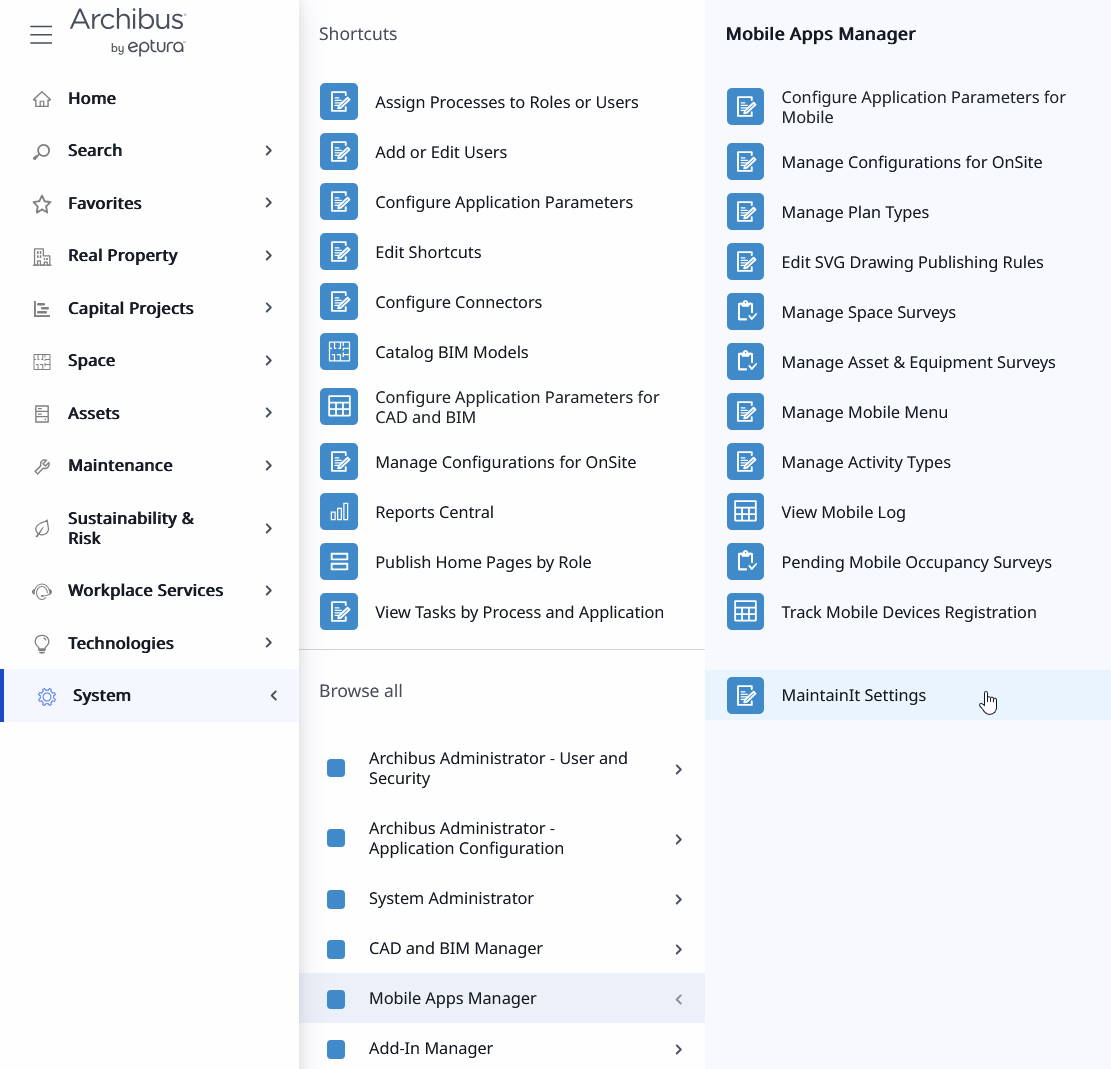
MaintainIt has many settings that allow you to dial in the user experience and business requirements to best serve your organization. Administrators can access the MaintainIt Settings by going to System > Mobile Apps Manager > MaintainIt Settings.
Navigate to the MaintainIt Settings
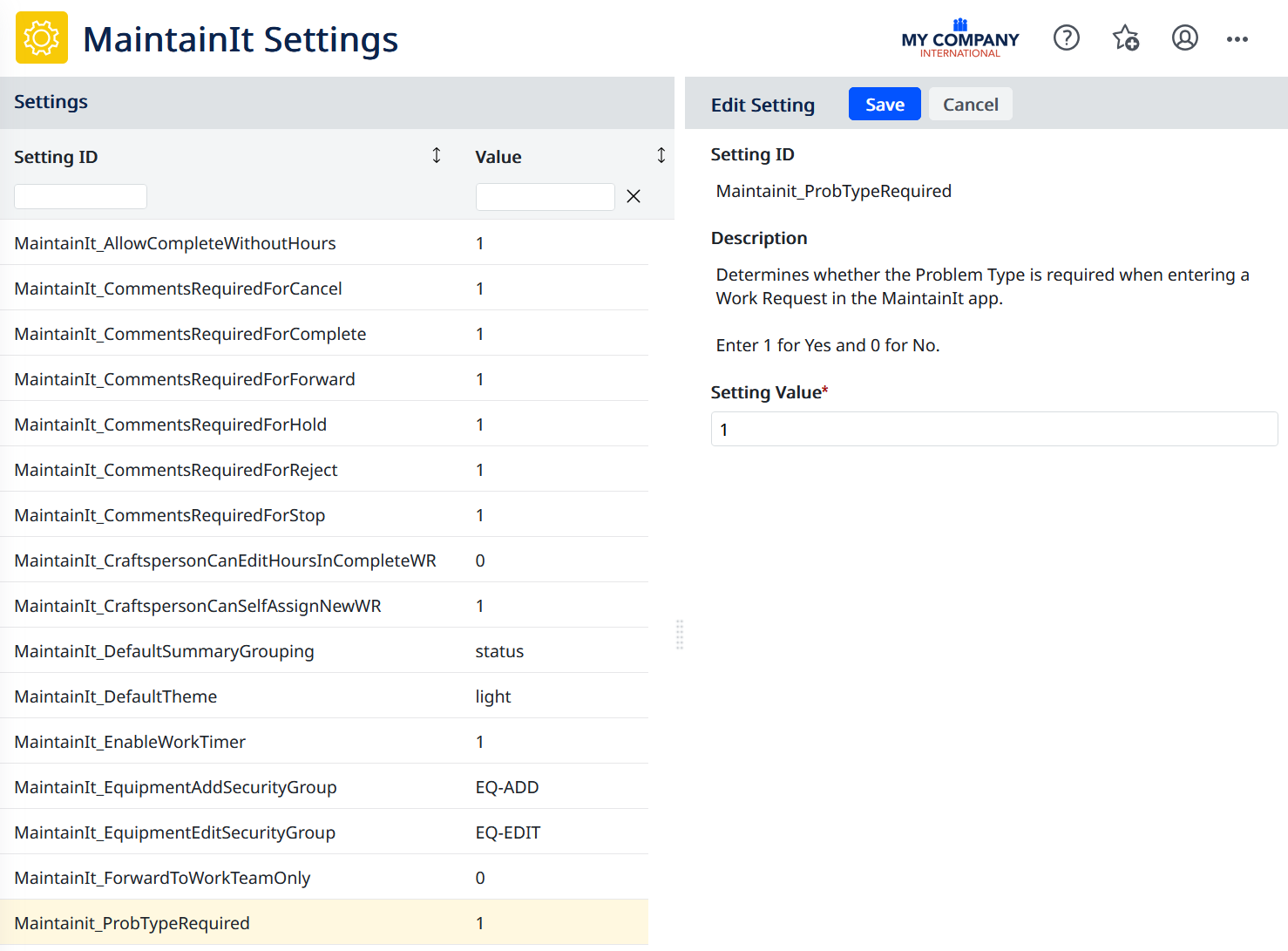
MaintainIt recognizes some Archibus settings that also apply to the Maintenance Console in Web Central, such as the *ShowPartsInWrDetails* and *ShowProblemTypesOnReportProblem* parameters. The MaintainIt Settings view lets you update these all in one place. Settings specific only to MaintainIt will have Setting IDs that start with "MaintainIt\_".
Select a setting on the left. You will see a description of what the setting does along with what values are valid (if applicable). Most settings use the number "1" to indicate Yes/On/Enabled and the number "0" to indicate No/Off/Disabled. Click the "Save" button to save your setting change and automatically reload the settings for immediate use.
{% hint style="info" %}
Note that any actively logged in users will need to refresh to see the effects of the updated setting.
{% endhint %}